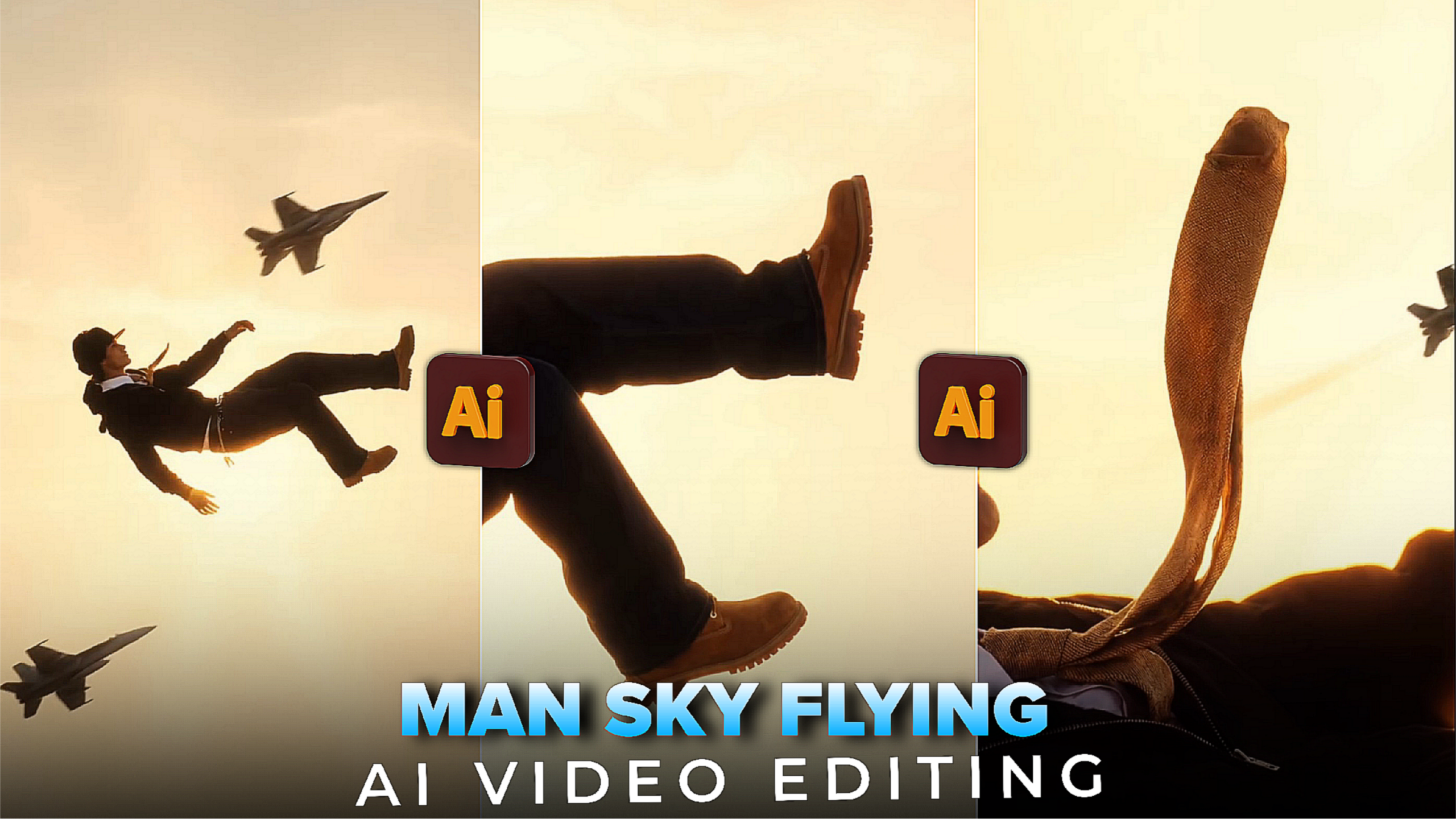
Instagram Trending Man Sky Flying Ai Video Editing –Hey friends today I have come with an Instagram viral video editing tutorial. Currently the man sky flying video is trending a lot. Everyone on Tik tok Instagram reels and Facebook is creating this type of video. If you want, you can create such a video and post it on your profile and get millions of views, your profile will grow. Because these types of videos have gone viral. Creating videos is very easy, in this article I will tell you how to create the video.
Instagram Trending Man Sky Flying Ai Video Editing
These types of man sky flying videos have to be created with the help of AI. Starting from photos, videos 2 toys have to be created with the help of AI. The photos have to be created with the help of Google Gemini and the video has to be created with the help of Flow AI. I will tell you the details of how to edit. If you miss a step, you will not be able to edit. For that, you have to watch the video till the end. How to do it, I am telling you below, follow the steps and create a man fly video.
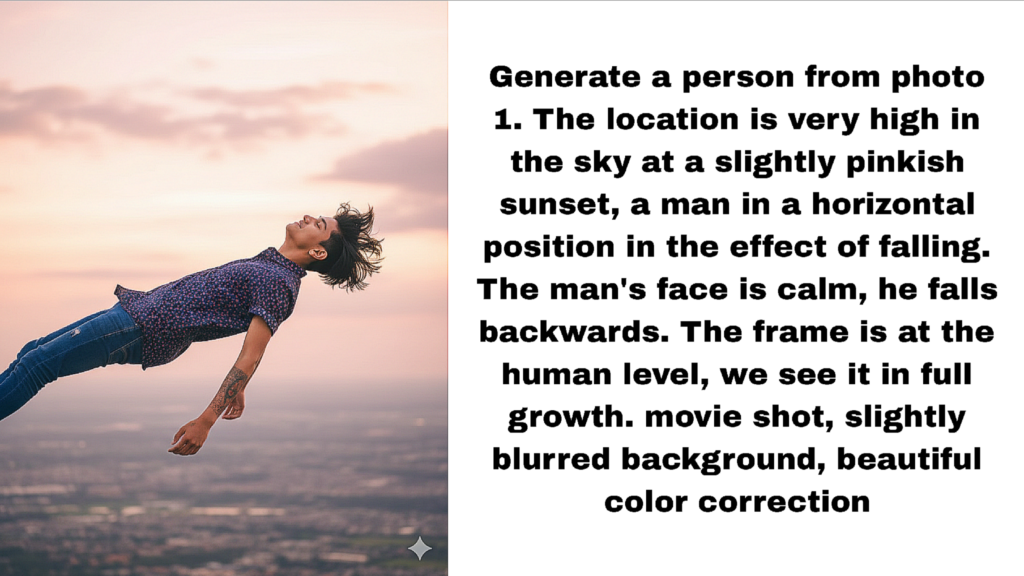
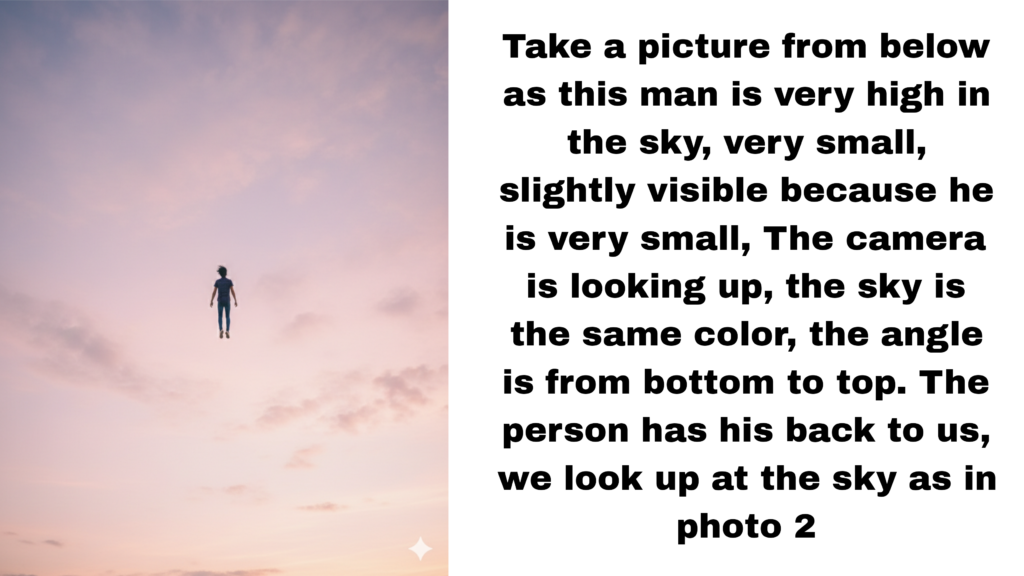
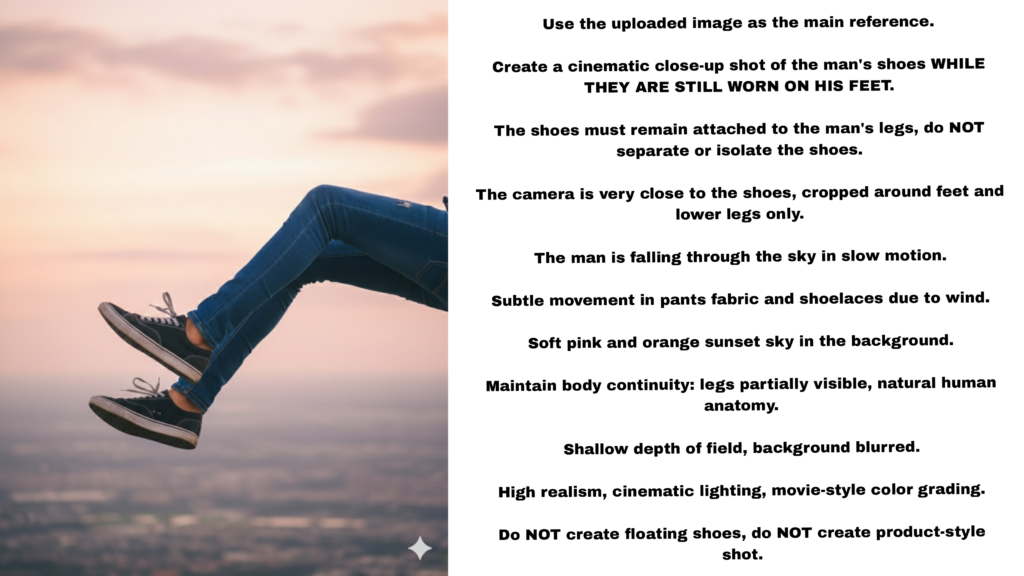
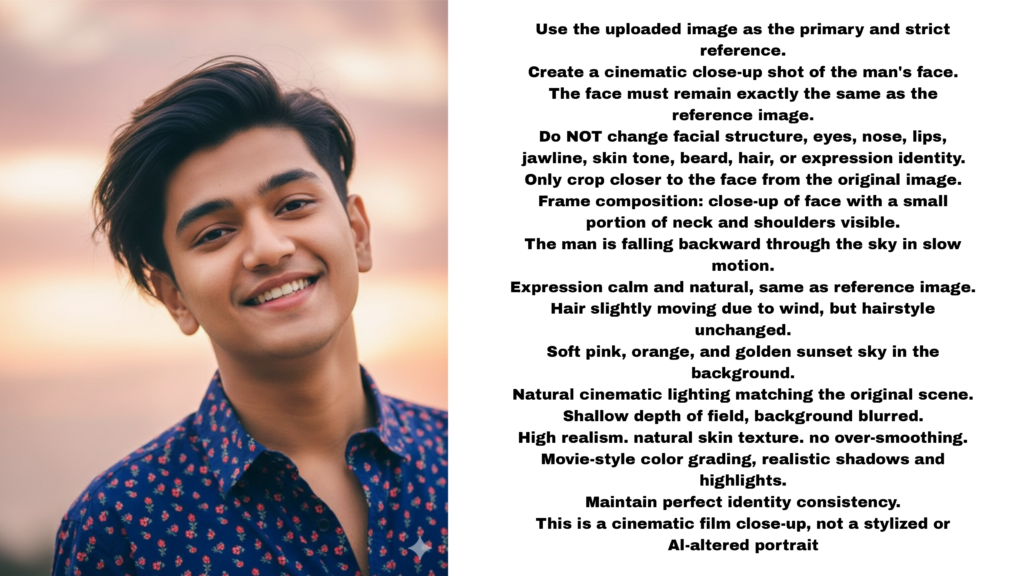
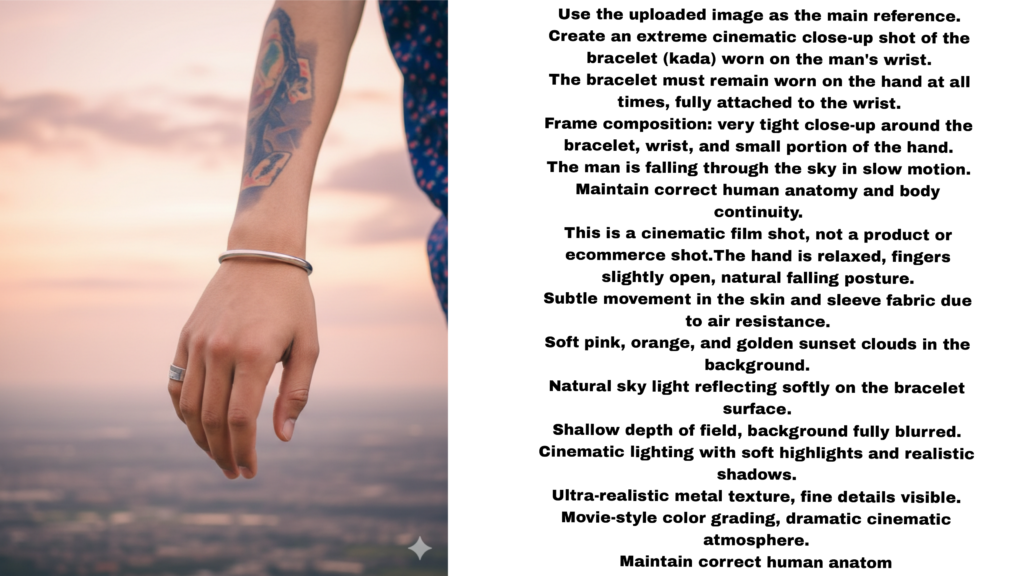
How To Copy Gemini Ai Photo Prompt?
If you want to copy these photos with the prompt, you have to follow some steps. First, you have to download the photos above with the promo written next to them. After downloading, you have to scan the photos one by one with Google Lens. And copy the written promos. Otherwise, you can also copy them by going to the Telegram channel.
How To Create Trending Man Sky Flying Ai Video ?
After copying the promt, you have to generate your photo with the help of Gemini. First, open the Gemini app, then create an account, then upload your photo by clicking on the plus option. You have to copy the promos you see above with the photo one by one and create a photo one by one. After adding the promo, you will see the send option, click there. After clicking, you will see your photo will be generated.
How To Convert Photo To Video?
The photo has been generated, now we have to convert it from photo to video and for that click on the link given below then the flow ai website will open. Then click on new project. After clicking, you will see below it is written frame to video, there you will see two plus options, click there and add one photo each and paste the promo given below. In this way, you have to create a video 3,4 times, when the video is created, you have to click on the video and download it.
VIDEO PROMPT:- A smooth frame descends smoothly, a man falls from the sky and the movement of the fall
Overall
After converting from photo to video, we need to edit the video and adjust the video clips to make a video. To edit the video, use the capcut app and add the video clips one by one, which you can download from flow ai. Then add the song and create the video with the song. I hope you understand how to create the video. If you have any difficulty in creating the video, tell me in the comments. Be well, God Hafiz
