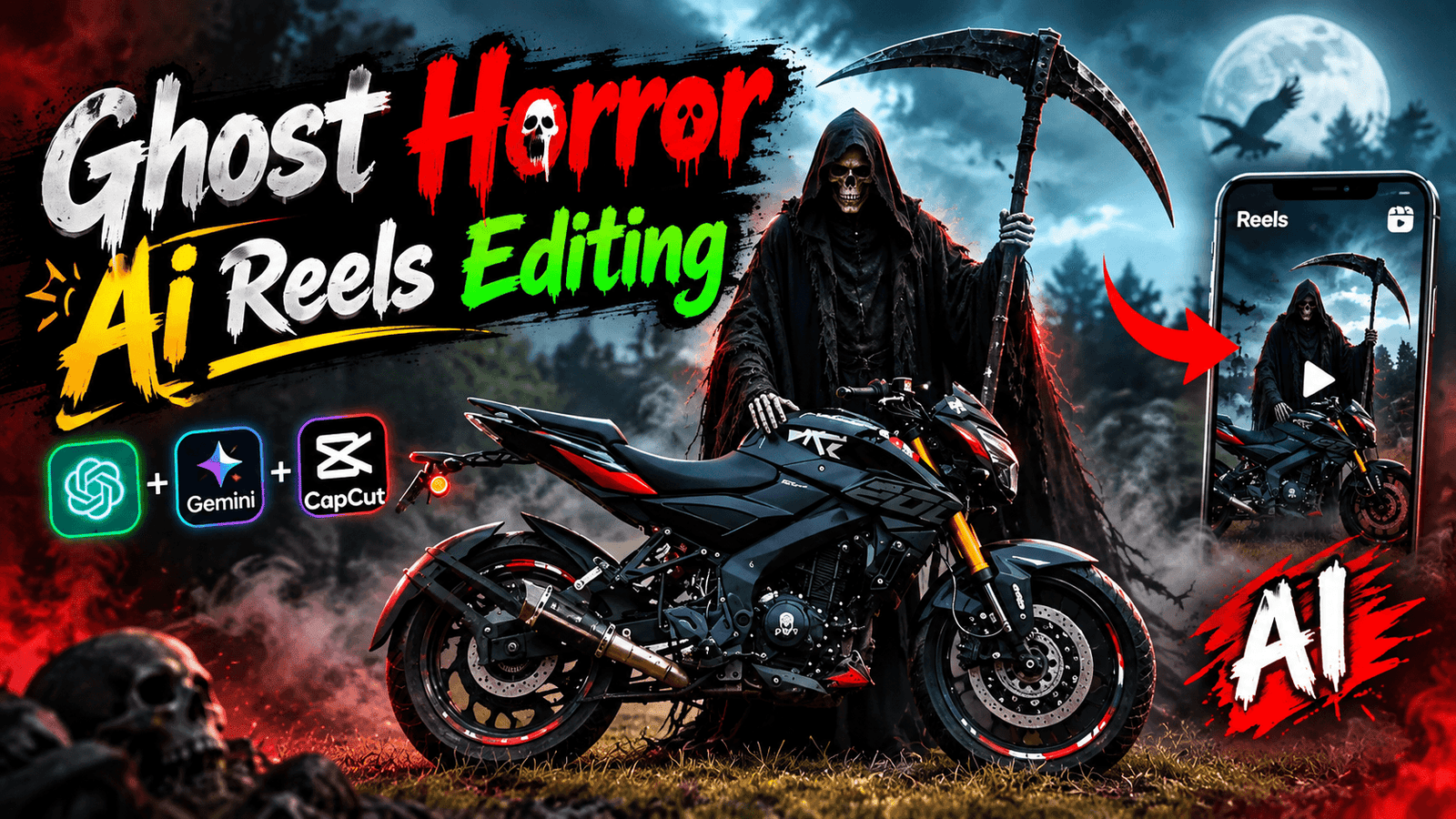
Trending Bick Ai Reels Editing -Do you see some reels while scrolling through Instagram that look amazing? You watch the video and think that you need a good camera to create this video. You have to edit it with a PC, laptop, but no. In this time of AI, everyone is making videos with a photo. In such a way that it doesn’t seem like it was made with AI. Let me give you an idea, now everyone has a bike. You can make good reels with a bike’s photo. If you have a bike, be it any bike like KTM Duke, MT15, Ninja. A person will take a beautiful photo or post a video with his bike. But you can’t make a good video because you don’t have a good camera or editing skills. If you also want to create a professional video with the bike you have. Then you should see this post of mine. Currently, a video is going viral in which the song Me Teri Queen Awe has been created. Creating this video is not very difficult. I will tell you a very easy way, how to create bike AI reels.
Trending Ai Bick Reels Editing
If we see reels of a bike while watching reels, then we watch those reels without scrolling. If the bike reels are better to watch, then we like and share the video. These bike reels that you are watching are so beautiful that viewers cannot help but like them. Let me tell you something about these bike reels. A bike will be in a field where there will be small trees. When the video starts, the bike’s head light will zoom out in slow motion. And flower petals will fall from above. Behind the bike, it will fly like love with a pink color cloth. Then after showing the bike in zoom out, I will zoom in, in this way the entire reels will be seen and the song will be me teri queen awe. It seems as if the bike is calling me queen. Why don’t you like it if you see such a video? The reels are beautiful to look at and it is very easy to create reels, see the paragraph below to know how to create them.
Ghost Bike Ai Reels Editing
I am sharing another AI photo and video prompt that will allow you to easily create ‘Ghost AI’ reels. These types of ghost reels are going viral. To create such a video, you first need to upload a photo of your bike, then use AI to transform it into a ‘ghost bike’ image, and finally convert that image into a video. I have provided the photo and video prompts below.
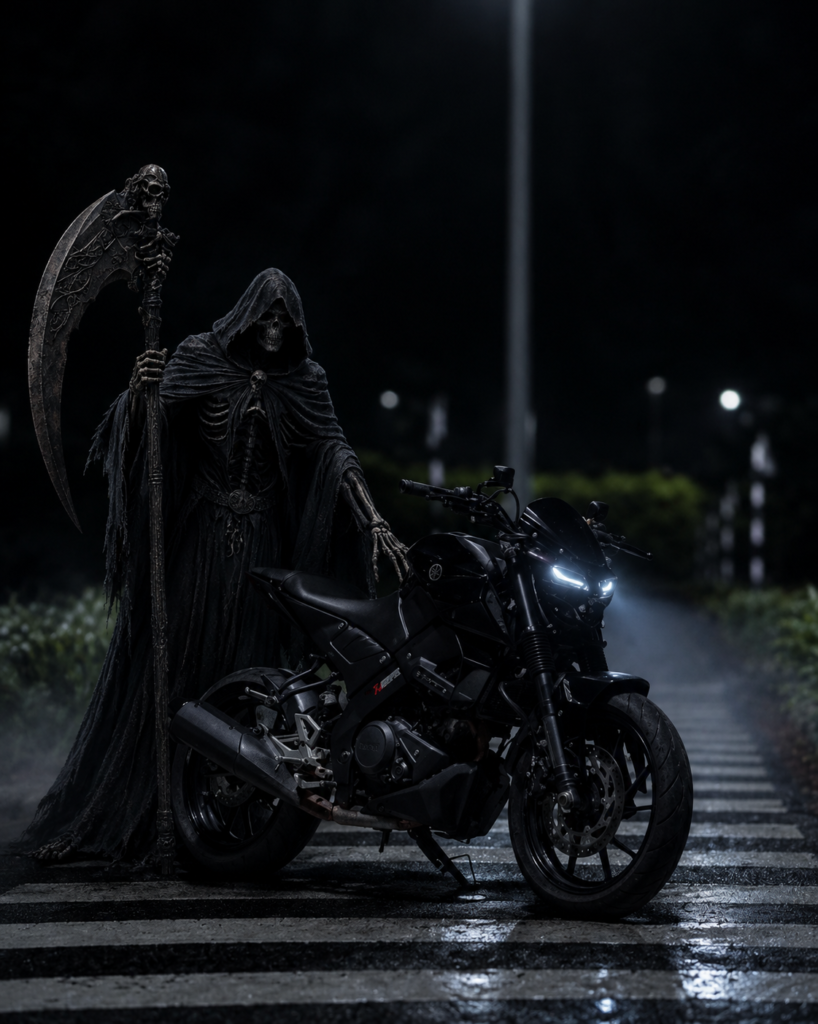
PHOTO PROMPT
Add a terrifying realistic Grim
Reaper ghost standing beside the
motorcycle. Keep the bike completely
unchanged. Match the lighting,
perspective, shadows and environment.
Dark cinematic horror atmosphere,
realistic skull face, black hooded
cloak, large scythe, subtle fog,
photorealistic.
Video Prompt
Create a realistic cinematic horror
video using the uploaded motorcycle
image as the main reference. Keep
the motorcycle completely unchanged
in its original design, color, position,
size, camera angle, and details.

First, a terrifying Grim Reaper slowly
walks toward the motorcycle from a short
distance. He wears a long black hooded
cloak, has a realistic frightening skull
face, and carries a large dark scythe. His walking movement should be slow, natural, and creepy.

Then, after reaching the motorcycle,
the Grim Reaper stands beside it, slowly
places one skeletal hand on the handlebar
and starts the motorcycle while remaining standing. The motorcycle headlight turns on naturally, with realistic vibration and engine movement.

Finally, the Grim Reaper slowly sits on
the motorcycle, keeps both hands on the
handlebars, and remains seated in a
threatening pose. Keep the same ghost, motorcycle, environment, lighting, and camera perspective throughout the entire video.

Dark cinematic horror atmosphere,
realistic shadows, subtle fog, natural cloth
movement, dramatic lighting, photorealistic
details, smooth realistic motion, creepy and terrifying mood. No changes or distortion to the motorcycle.
What Do You Need To Create Ai Bick Reels?
Earlier we needed a good camera, editing skills to create a good level of bick reels but now we don’t need all these. To create such Bick Reels we will need the following things that I will tell you.
1. First of all, you will need a photo of bick, you put the bick somewhere and the bick is not a full photo so that the bick is visible. While clicking the photo, you will see that the lighting is right so that the bick is visible well.
2. Now we will need an Ai Photo Editing app from where we will convert the photo of bick to another look where you will see flower petals falling from above and a cloth is made from the back of the bick to make a love shape. We will use Chat Gpt to generate the photo.
3. Now we will need an Ai Bick Photo prompt, we will use this prompt to convert the normal photo to a cute look. This prompt will contain information on how to make the photo. To get the prompt, you have to copy it from below.
4. After creating the photo, we will need an App to generate the video. If you go to the website and search for video generating app, you will get many apps or sites, but we will use flow ai video generator.
5. I found the best ai website to generate bick videos. But to generate the video, it also requires a prompt where you have to make the video. I will give the prompt below to generate the video, copy it from there and use it.
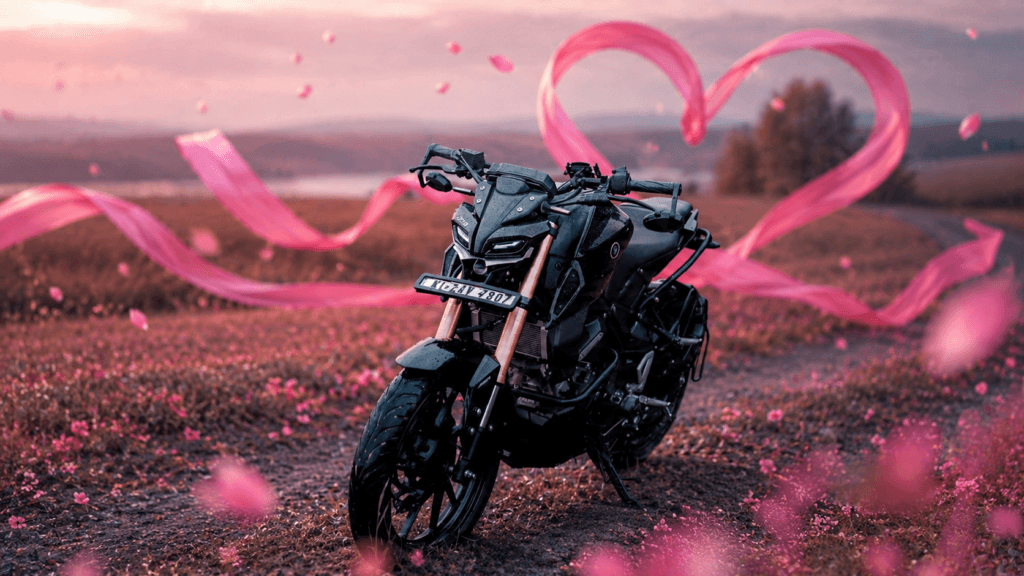
PHOTO PROMPT
Create a highly realistic cinematic
image using my uploaded bike photo as
the exact reference. Keep my bike’s original
design, model, shape, color, logo, details,
proportions, wheels, seat, handlebar, and
overall appearance exactly unchanged.
Place the bike in a beautiful dreamy
outdoor field with a romantic pink color
tone. Add a long flowing bright pink
silk ribbon moving naturally behind
and around the bike, forming a large
elegant heart shape in the background.
The pink ribbon should look soft, lightweight, and realistic, flowing naturally in the wind. Add a few floating pink flower petals around the bike. Keep the bike as the main focus with a cinematic close-up front-side composition, realistic lighting, soft background blur, dreamy atmosphere, dramatic depth of field, premium cinematic photography, ultra-realistic details, 4K quality. Do not change or redesign the uploaded bike. Preserve the exact identity and appearance of the bike. No extra vehicles, no people, no distorted bike parts, no text, no watermark.
How To Create Bick Photo Using Chat Gpt Prompt?
Our first task is finished, our 2nd task is to convert the photo to cute look. You have to take the help of the prompt that I have given. You have to follow some steps to create this photo. Sobra will copy my prompt. chat gpt will open and create an account with your gmail, if you click on the bick photo, upload that bick photo and paste the prompt, then there is send bottom, click there, then your photo will be created.
VIDEO PROMPT
Create a cinematic AI video using my
uploaded bike photo as the exact first-frame
reference. Keep the bike’s original design,
color, shape, details, logo, number plate, and proportions exactly unchanged. The bike must remain completely still.
Start with an extreme close-up of the
bike’s headlight. The camera slowly and
smoothly zooms out and pulls backward, gradually revealing the front of the bike and then the entire bike in a wide cinematic shot.
Behind the bike, keep the same large
pink silk fabric ribbon arranged in a
clear elegant heart shape, exactly like the reference image. The heart-shaped ribbon must stay in the background while gently and naturally moving, waving, and fluttering with the wind. The shape should remain recognizable as a heart throughout the video.
Pink flower petals gently fly and
drift across the scene with the wind, some passing close to the camera and some floating around the bike. Keep the romantic pink cinematic environment, soft depth of field, realistic wind physics, and dreamy atmosphere.
Smooth camera motion, ultra-realistic animation, realistic cloth physics, natural petal movement, cinematic lighting, slow motion, high detail, 4K quality, stable bike, no bike distortion, no morphing, no change to the bike’s
design or background composition.

     Create Your Video
How To Convert Bick Ai Photo To Video?
After the photo is generated, our last task is to convert the photo to video. We need a video generator Ai app to convert to video. I will use flow ai. Copy the video prompt before using the app. Then open flow ai and create an account with gmail id. Now upload the photo you made with chat gpt. And paste the video prompt. Keep the ratio of 16:9, select Frame and tap the next button and wait for some time, then your photo will be converted to video.
Conclusion
While creating the video, if you want to make it viral, try to create the first 3 seconds well so that viewers don’t scroll when they see it. At present, the number of content created with photos using Bick is very small. This is a new way where you can make different videos using one photo. You don’t need a good camera setup, editing skills, just the basic idea of ai to create video and photo prompts. Such bick reels are very viral. If you want to create a content, start today by editing such bick reels.

Photo edit
Create an ultra-realistic cinematic portrait
using the uploaded photo as the exact
reference. Preserve body proportions, pose,
posture, hands, arms, clothing, accessories, camera angle, composition and framing unchanged.
Completely wrap the entire head and face
in thick, opaque off-white cotton bandages
with overlapping layers. Fully cover hair,
forehead, eyes, eyebrows, nose, cheeks, mouth,
jawline, chin and ears. No facial features,
skin, gaps, openings or recognizable face
shape should be visible. Keep the original
background unchanged. Apply a dark moody
cinematic color grade in the photo, deep shadows,
subtle warm highlights, atmospheric haze,
natural HDR, contrast and film grain
Trending photo
Create a cinematic AI video using my
uploaded bike photo as the exact first-frame
reference. Keep the bike’s original design,
color, shape, details, logo, number plate, and proportions exactly unchanged. The bike must remain completely still.
Start with an extreme close-up of the
bike’s headlight. The camera slowly and
smoothly zooms out and pulls backward, gradually revealing the front of the bike and then the entire bike in a wide cinematic shot.
Behind the bike, keep the same large
pink silk fabric ribbon arranged in a
clear elegant heart shape, exactly like the reference image. The heart-shaped ribbon must stay in the background while gently and naturally moving, waving, and fluttering with the wind. The shape should remain recognizable as a heart throughout the video.
Pink flower petals gently fly and
drift across the scene with the wind, some passing close to the camera and some floating around the bike. Keep the romantic pink cinematic environment, soft depth of field, realistic wind physics, and dreamy atmosphere.
Smooth camera motion, ultra-realistic animation, realistic cloth physics, natural petal movement, cinematic lighting, slow motion, high detail, 4K quality, stable bike, no bike distortion, no morphing, no change to the bike’s
design or background composition.
Create Your Video
घरेलू
U
डूबकर
O
Hai
7723903924