Top 5 Instagram Trending Background AI Photo Prompt-If you’ve been scrolling through Instagram lately, you might have noticed a specific type of AI-generated photo going viral. These posts typically start with a photo of the creator, followed by a slide featuring just a stunning background image along with the prompt used to create it. Many content creators are capturing their own background shots and then using AI to insert themselves into the scene. The result looks so natural that it appears as though they were actually standing there when the photo was taken. Do you know why this photo trend has become so popular? It’s because the backgrounds look absolutely breathtaking. Since creators openly share their prompts, anyone can copy them to create their own version of the image. There’s no need to travel to a specific location; all you need is ChatGPT and the background prompt, and your photo is ready. In this article, I’ll share five trending background ideas, each accompanied by a copy-pasteable prompt. You’ll also learn how to create these photos step-by-step using ChatGPT, what to write to ensure your facial features remain unchanged, and which common mistakes to avoid for the best results.
Top 5 Instagram Trending Background AI Photo Prompt
I won’t share all the trending backgrounds and prompts at once. I’ll provide one background today and add new ones here whenever I see a new background going viral. So, feel free to check this post occasionally for new backgrounds. To use these backgrounds, you need to download the background image and copy the prompt provided below. Then, you’ll need to use AI to integrate your own photo into the background. There are many AI tools available that make generating such photos very easy; however, in my opinion, the best app for this is ChatGPT.
Often, generating a photo can alter the model’s body and facial features. To avoid this, you need to follow the correct editing steps. I will guide you through the process step-by-step so you can create these photos properly.
Which Photo Should Be Used To Generate The Best Image?
To generate a photo, you first need to use a high-quality image. If you use a suboptimal photo instead of a perfect one, the generated result will not be good. Do not upload cropped or partial photos; the AI needs to clearly see your full physique—such as whether you are slim or heavy-set—to generate an accurate image. The AI (like ChatGPT) produces the best results when it can clearly understand your appearance from the input photo. Here is what you should avoid: do not upload selfies or mirror selfies, as the AI is designed to generate full-body images rather than close-up selfies. The best approach is to use a full-body shot—for instance, a photo taken outdoors while striking a pose—because the generated image will reflect the style and composition of the photo you provide. Ensure the lighting is good and the image quality is high (HD). If you follow these guidelines, the generated photo will turn out well. When generating the image using ChatGPT, do not write your own prompt; instead, use the specific prompt that I will provide.
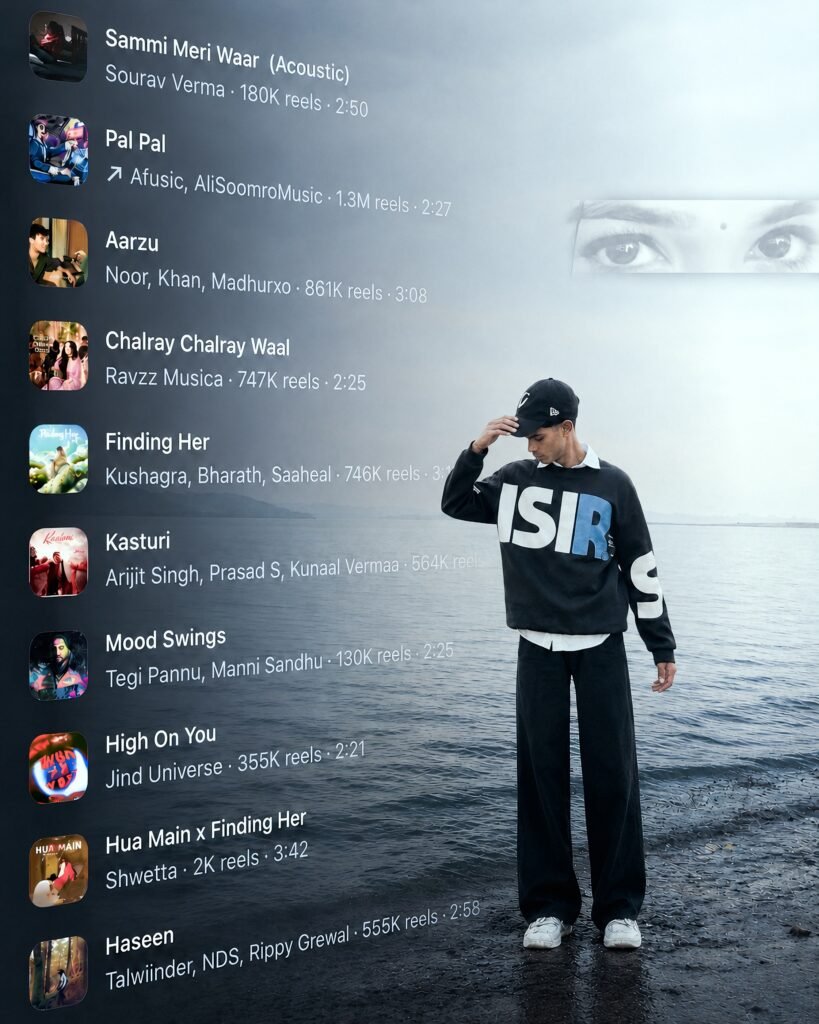
Create Image 1 is the only master reference.
Match its subject position, scale, framing,
camera angle, perspective, depth, lighting,
HD color treatment and atmosphere. Fit Image
2 naturally into the SAME position and scale;
never make it unnecessarily larger. Keep Image
1's background/environment unchanged. Apply
Image 1's color, lighting and HD visual
treatment naturally to Image 2, while
preserving Image 2's real face, identity,
hairstyle and original clothing design/pattern.
Completely remove Image 2's old background
with clean hair/clothing edges and no halo
or leftover fragments. Follow Image 1's
framing: if both images are half-body,
keep the final half-body; if full-body
framing is required, complete missing
parts naturally without forcing full-body
unnecessarily. Preserve natural pose and anatomy. Match ground contact, shadows, perspective and depth so the person looks genuinely photographed there. Preserve all text visible in Image 1 exactly as shown; do not remove, erase, alter or omit any existing text. If Image 1 contains no text, do not create or add any new text yourself. Use current Image 1 only-never carry colors/styles from previous images. DSLR-quality, realistic 8K, exact 4:5. Self-check position, scale, framing, identity, color, background and realism; fix errors before final output.
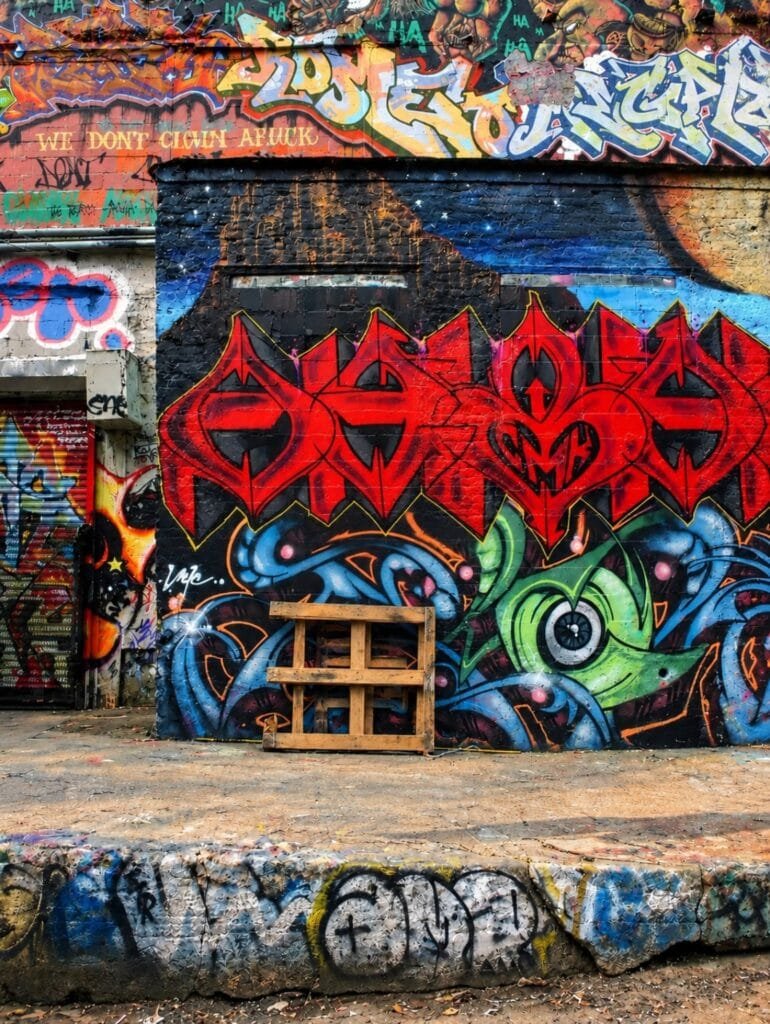
Use the first uploaded image as the exact
 background reference. Naturally add my
uploaded photo subject standing in front
 of the colorful graffiti wall, centered
 in the scene, . Preserve my exact face,
identity, hairstyle, skin tone, outfit,
 and body proportions. Match the original
perspective, scale, lighting, shadows, and
 camera angle. Keep the graffiti wall,
 wooden pallet, pavement, and background
 completely unchanged. Create a highly
realistic, natural photograph with no
AI-generated appearance.
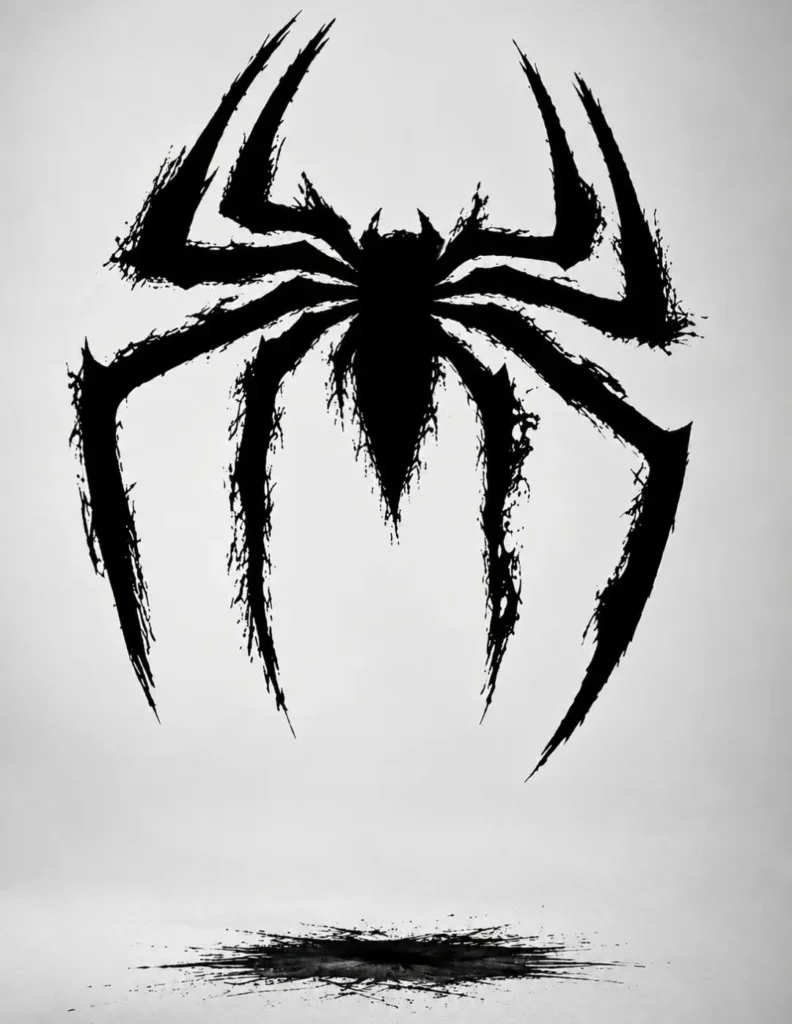
Place this person in the second photo
in a realistic manner and adjust them
to match the second photo; do not
change anything else.

Keep the background exactly as it
is-do not alter it at all-and do not
change the face or body size. Enhance
the image to 8K quality and set the
aspect ratio to 3:4.
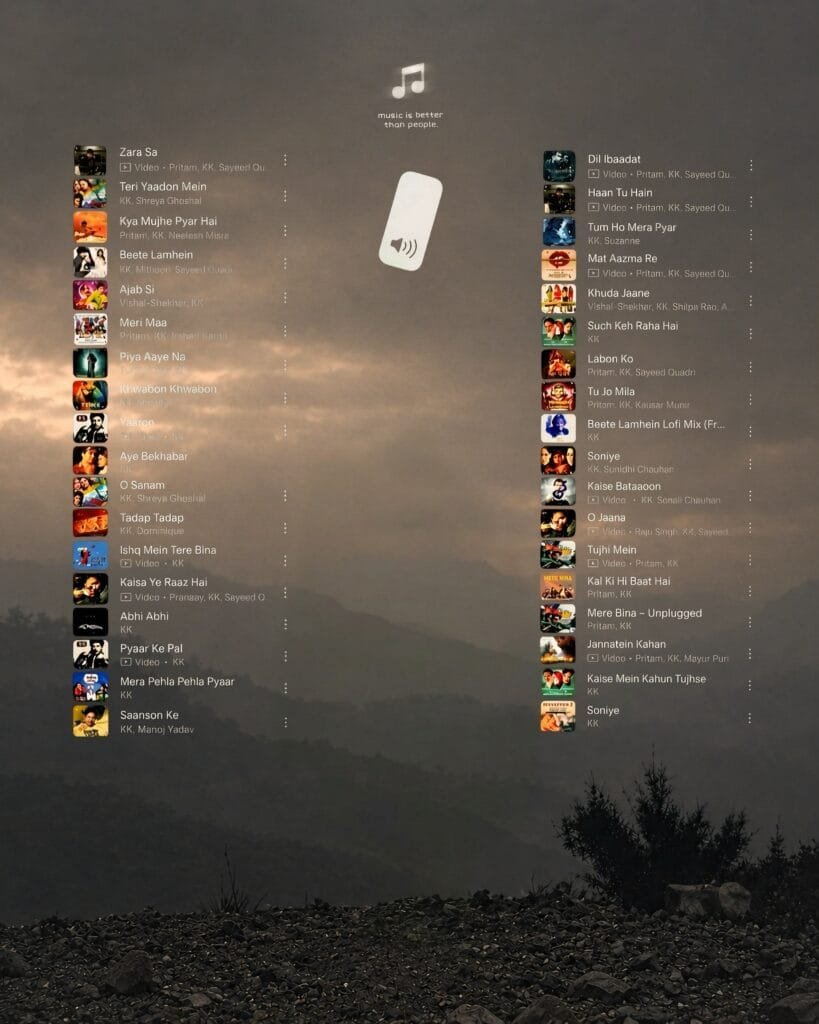
Image 1 is the only master reference.
Match its subject position, exact center
placement, scale, framing,
camera angle, perspective, depth,
lighting, HD color treatment and atmosphere.
Fit Image 2 naturally into the EXACT SAME position
and scale; never shift it left/right or make it
unnecessarily larger. Keep Image 1's background/environment
unchanged. NEVER remove, change, replace or cover
any music sticker, song list, thumbnail, text, icon,
speaker/music graphic or other template element in Image 1,
regardless of how many are present. Apply Image 1's color,
lighting and HD visual treatment naturally to Image 2,
while preserving Image 2's real face, identity, hairstyle
and original clothing design/pattern. Completely remove
Image 2's old background with clean hair/clothing edges
and no halo or leftover fragments. Follow Image 1's framing:
if both images are half-body, keep the final half-body; if
full-body framing is required, complete missing parts
naturally without forcing full -body unnecessarily.
Preserve natural pose and anatomy. Match ground contact,
shadows, perspective and depth so the person looks genuinely photographed there. Use current Image 1 only-never carry colors/styles from previous images. DSLR -quality, realistic 8K, exact 4:5. Self-check exact position, scale, framing, identity, music/template elements, color, background and realism; fix errors before final output.
Create Your Image
How To Use Instagram Trending Background AI Photo ?
To generate a photo using the backgrounds I’ve provided, first get one of your own photos ready. Download the background image you like; simply click on the image to find the download button and save it. Next, open ChatGPT AI to generate the photo using that background. Click on the ‘plus’ option, upload both the background image and the model’s photo, and paste the prompt. Finally, click the ‘send’ button to start the generation process. It will take about 1–2 minutes to generate; once it’s done, open the image and download it. When generating photos, the better the quality of the photo you upload, the better the results will be. Make sure to upload the full image to maintain high quality. A perfect photo combined with a perfect prompt helps generate a perfect image.
Overall
In this article, I shared a trending Instagram background and the corresponding prompt with you. I also demonstrated the type of photo that yields the best AI-generated results and showed you, step-by-step, how to create the image using ChatGPT. To generate the perfect image, the most important elements are a high-quality, full-body photo with good lighting and HD resolution. Don’t forget to let me know in the comments how your photo turned out. Also, share this post with your friends so they can create these trending photos too.
