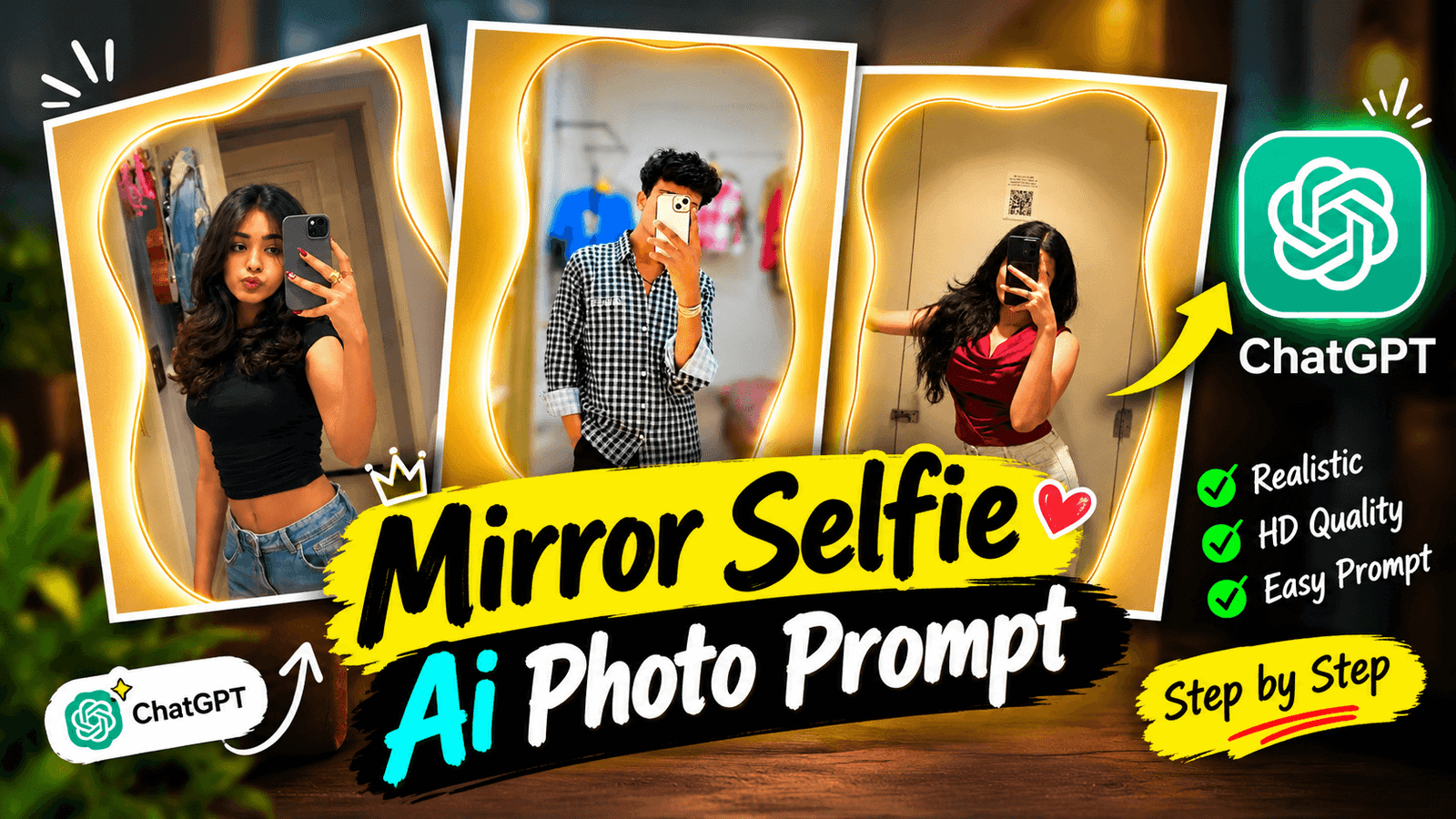
Mirror Selfie AI Photo Prompt- If you open Instagram or Facebook, you’ll likely come across a particular type of photo that’s catching everyone’s attention. In these images, an oddly shaped, curved mirror hangs on a wall, surrounded by a soft, warm yellow glow—making it look as though the photo was taken inside a high-end showroom or a luxury hotel. You might be wondering if such photos require expensive cameras and a professional studio setup. Well, not at all! Most of these are simply “mirror selfies” taken with an ordinary mobile phone. The appearance of the mirror itself is then transformed using a short text prompt in ChatGPT. Perhaps you have a mirror selfie that you’re not happy with—maybe the lighting is poor, or the image quality isn’t sharp—and you want to fix it. Previously, achieving this would have required knowledge of Photoshop and hours of tedious work. Now, it can be done in just a few seconds. How is this possible? In today’s article, I’ll explain why these photos have gone so viral and what you need to generate one for yourself.
About Mirror Selfie AI Photo Prompt
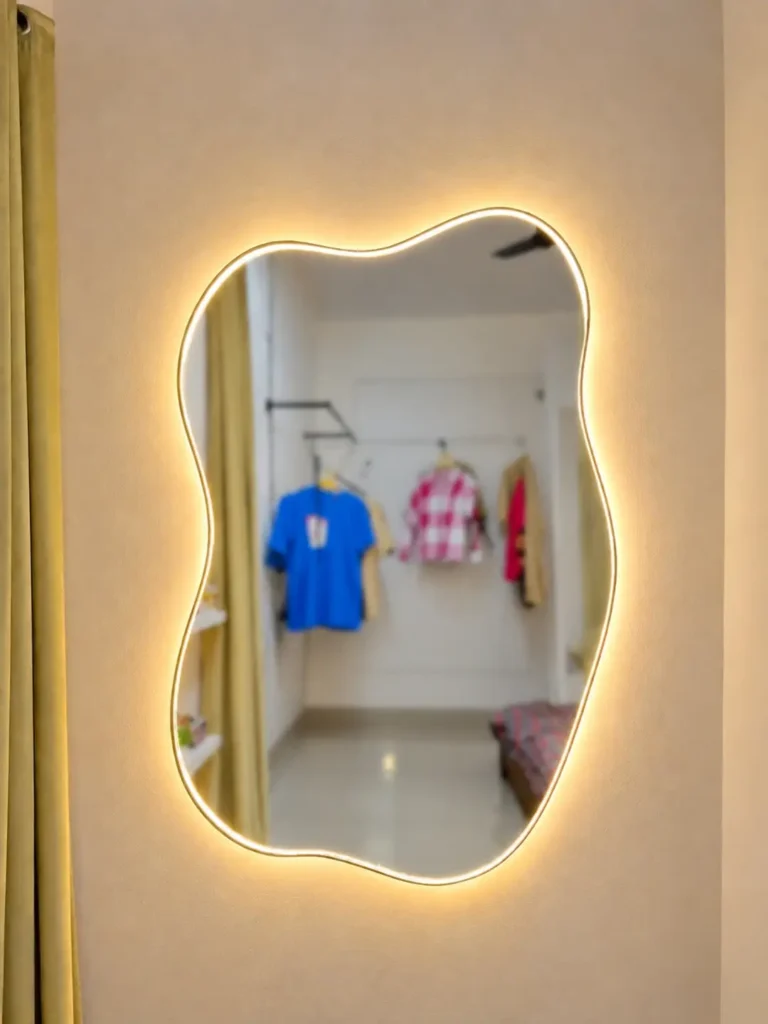
Sometimes, we don’t want to change our own appearance; we just want the background of the photo to look a bit better. This prompt does exactly that. Simply open ChatGPT, upload your photo (a mirror selfie), and paste the prompt—your photo will then be ready. Let me describe the photo I’m demonstrating: inside the mirror, you can see a room where a blue T-shirt, a red-and-white checkered shirt, and a few other garments are hanging. There are yellow-green curtains to the side, and the wall is a light beige color. A guy, wearing a black-and-white checkered shirt, is taking a mirror selfie while covering his face with his phone. To create such images, you’ll need to use an AI tool—ideally, a popular one—to ensure the result looks realistic. If you’re ready to generate photos like this, just follow the steps below.
Why Is Mirror Selfie Photo Becoming So Popular?
There are several reasons why these “mirror selfie” photos have gone viral. Previously, to get such an image, you would have needed to buy an expensive mirror and then edit the photo using an editing app—a process that was quite time-consuming. Now, however, we can generate these photos using AI, which saves a significant amount of time. Furthermore, the specific prompt we use ensures that the model—including their face and hair—remains consistent across all generated images. We also use a free version of ChatGPT to generate these photos, so there is no cost involved. If you scroll through Instagram, you’ll likely come across many of these mirror selfies; if you post one yourself, your photo could go viral too!
What Need To Create Mirror Selfie Ai Photo ?
Before generating this photo, it is essential to have a few things ready. First, you will need an AI photo generation tool; There are many available, but the best options are ChatGPT or Google Gemini—you can use either one. Next, you will need a photo of yourself; simply stand in front of a regular mirror at home and take a picture using your phone. You will also need an image of a mirror (I have provided one that you can use). To incorporate your own image into the mirror photo, you will need a specific prompt—I have provided one that you can use to add your photo to the mirror selfie. Make sure to have all these elements ready before you start generating the photo.
Create a realistic mirror selfie using an
 elegant, irregular organic-shaped mirror
 mounted on a beige wall, featuring a warm
 golden LED backlight around its entire edge.
 Include olive-green curtains on the left
 and a softly blurred bedroom reflected
inside the mirror, with hanging clothes,
shelves, and a bed. Preserve the background
design, lighting, colors, proportions, and
natural photographic realism.
How To Create Photo Using Chat Gpt?
Now, you might be wondering how to generate this photo. It’s quite simple—just follow the steps below, and you’ll be able to create it with ease.
1. First, open the ChatGPT app. You can either download it from the Play Store or access it via the website.
2. Click on the ‘Plus’ (+) option to upload your mirror selfie, along with the mirror photo I’ve provided.
3. A prompt is essential for generating the image, so copy and paste the prompt I’ve given you.
4. Click the ‘Send’ button to generate the photo. It may take a few minutes for the image to be created.
If you aren’t satisfied with the result, you can simply generate it again. Just specify any changes you’d like to see within the prompt, and the next version should turn out perfectly.
Overall
If you read the article carefully, you will find it quite easy to generate the image. If you have any trouble understanding, please leave a comment, and I will respond. You can also upload a different ‘mirror’ photo and use the prompt to generate an image in the same style. If you would like the image to have a different look. You can simply modify the prompt. Sometimes, the generated image might not perfectly match the original face, clothing, or hair; in such cases. You should add a specific instruction to the prompt—”Keep the subject exactly the same; do not change the face, hair, clothes, or pose” To ensure the subject remains consistent. I hope you won’t face any issues while generating your image.
