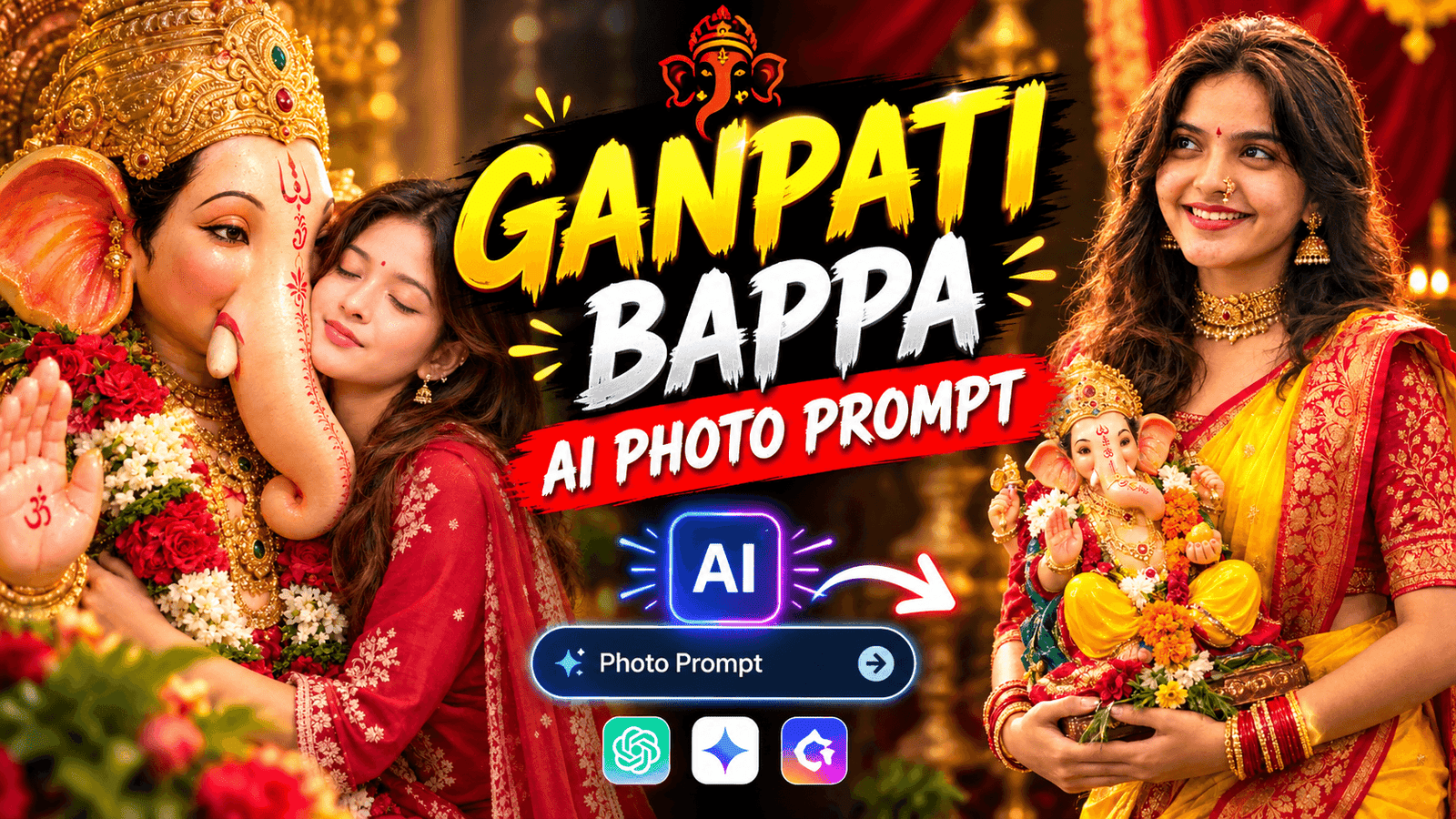
Ganesh Chaturthi is just around the corner. Whenever the festival arrives, our phone galleries get filled with photos of ‘Bappa,’ don’t they? Some people take photos at pandals, while others capture images of beautifully decorated idols at home. However, the trend of generating photos using AI has now emerged, making things a bit different this time. There is a growing trend of creating AI-generated images featuring yourself alongside Bappa—sometimes you might be sitting next to Him, or perhaps He has His hand on your shoulder. Such images are popping up all over social media feeds; people are generating these photos even before the festival officially begins, and it has become a viral trend. If you want to generate a Ganesh Chaturthi-themed photo but aren’t sure what to create, this post is for you. I am sharing five Ganesh Chaturthi AI photo prompts for to help you get some ideas. Hopefully, you will find at least one that appeals to you.
Ganesh Chaturthi AI photo prompts
To generate a photo with Ganpati Bappa, you need to follow a few tips. You simply upload a photo of yourself to an AI tool and provide a text description—or “prompt”—explaining the kind of image you want. For instance, if you write, “I am smiling while sitting next to Bappa, surrounded by flowers and lights,” the AI will create an image featuring your facial features in that exact setting. However, you can create a professional-quality photo by using the specific prompts I provide. If you try to write the prompt yourself, the result might not be as good, simply because you may not know the best way to structure it; the prompts I provide contain all the necessary details. The best part is that you don’t need to visit a pandal or dress up for the occasion the photo is generated using just a single picture and a few lines of text. So, it is essential to know how to copy and use these prompts effectively.
What Need To Genaret Ganesh Chaturthi AI Photo ?
Before generating the photo using AI, have a few things ready:
- You will need a clear photo of yourself where your face is clearly visible and the lighting is good. The better your face and body are visible, the more effectively the AI can generate the photo.
- You will need an AI image generation app or website where you can upload your photo and enter a prompt to create the image. Always try to use a popular AI photo generation app.
- Next, you need an AI photo prompt. If you know how to generate prompts, that’s fine; if not, you should use the prompt I have provided.
The first generated image might not be exactly what you envisioned; you may need to try two or three times to get the perfect shot. You can modify the prompt to change any elements of the photo that you aren’t happy with.
If you have these three things ready, let’s start generating a photo with Ganpati Bappa.
Best Way To Genaret Ganesh Chaturthi AI Photo ?
Before generating the photo using AI, have a few things ready:
- You will need a clear photo of yourself where your face is clearly visible and the lighting is good. The better your face and body are visible, the more effectively the AI can generate the photo.
- You will need an AI image generation app or website where you can upload your photo and enter a prompt to create the image. Always try to use a popular AI photo generation app.
- Next, you need an AI photo prompt. If you know how to generate prompts, that’s fine; if not, you should use the prompt I have provided.
The first generated image might not be exactly what you envisioned; you may need to try two or three times to get the perfect shot. You can modify the prompt to change any elements of the photo that you aren’t happy with. If you have these three things ready, let’s start generating a photo with Ganpati Bappa.
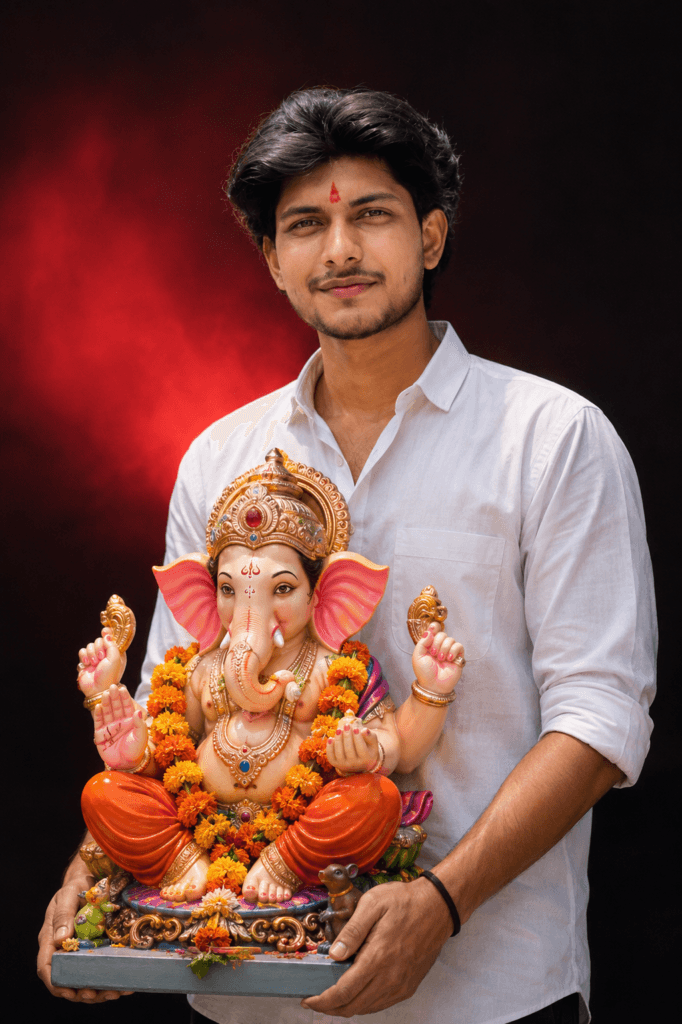
Ganpati Bappa Morya
A high-quality studioportrait of a young Indian
man same person as
uploaded image holding a colorful Lord
Ganesha idol during Ganesh Chaturthi
celebration. The man is white shirt standing
against a dramatic dark background with a soft
red light glow behind him H,e has a natural smile,
a small red tilak and devotion and joy. The Ganesha
idol is highly
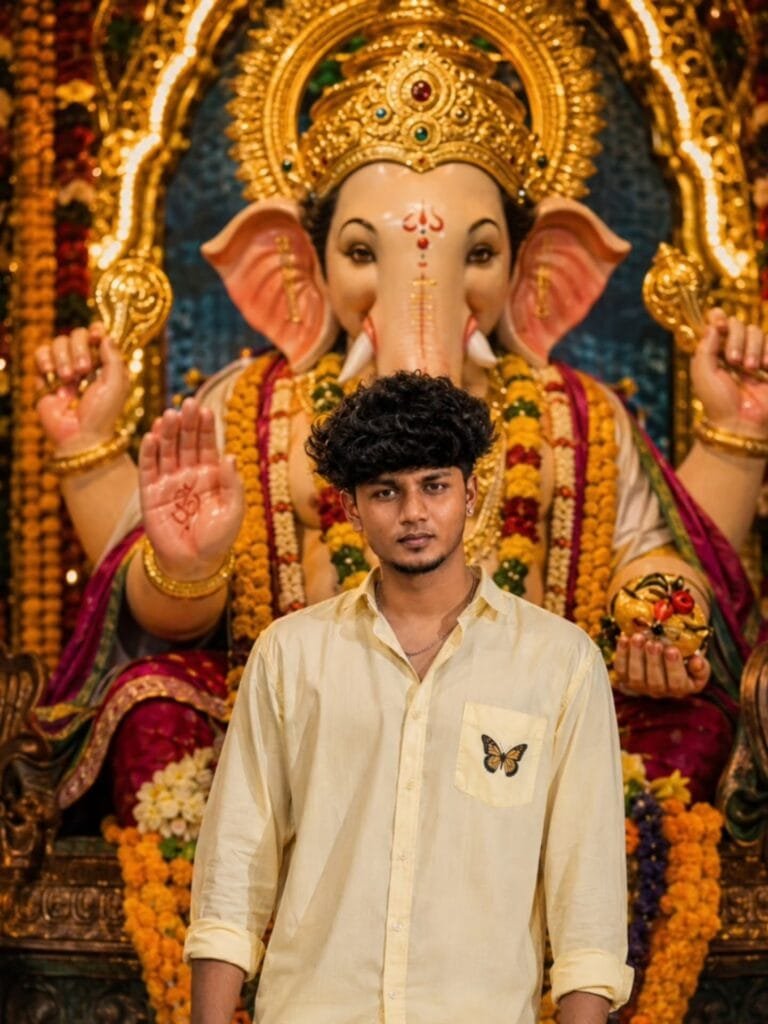
Create an ultra-realistic cinematic portrait using
 the uploaded photo as the only identity reference.
Preserve the exact face, facial features, skin tone,
 hairstyle, and natural likeness. Dress him in a
 light pastel-yellow full-sleeve shirt with rolled
sleeves and slightly open collar. Show him standing
 confidently in front of a large beautifully
decorated Lord Ganesha idol with golden jewelry,
 crown, ornaments, and colorful flower garlands.
 Add warm golden temple lighting, marigold flowers,
festive devotional atmosphere, realistic skin
 texture, DSLR 85mm photography, shallow depth
of field, cinematic bokeh, HDR, natural colors,
 4K detail, realistic proportions.
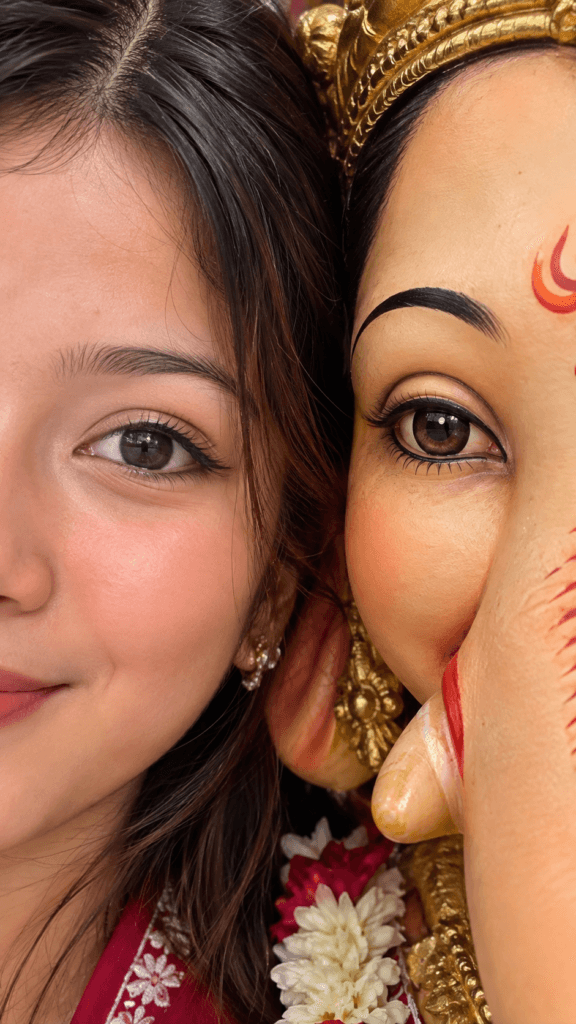
Create a photorealistic color photo,
vertical 9:16, extreme close up.
Half of a human face and half of
Ganpati Bappa face pressed closely
together, and sharing the same
frame equally. Faces are very
close to the camera, and intimate
contact. Tight crop, one human
eye + one Ganpati Bappa eye centered,
perfectly aligned and both in sharp
focus with that same intimate framing
with a cute half smile.

Frame tightly filled with faces,
background barely visible. Focus
on eyes, skin.
Soft natural or studio lighting,
emphasizing realistic texture of
skin and his skin, warm natural
color, no filters.
Ultra realistic, high detail,
sharp focus, professional
photo in 4k.
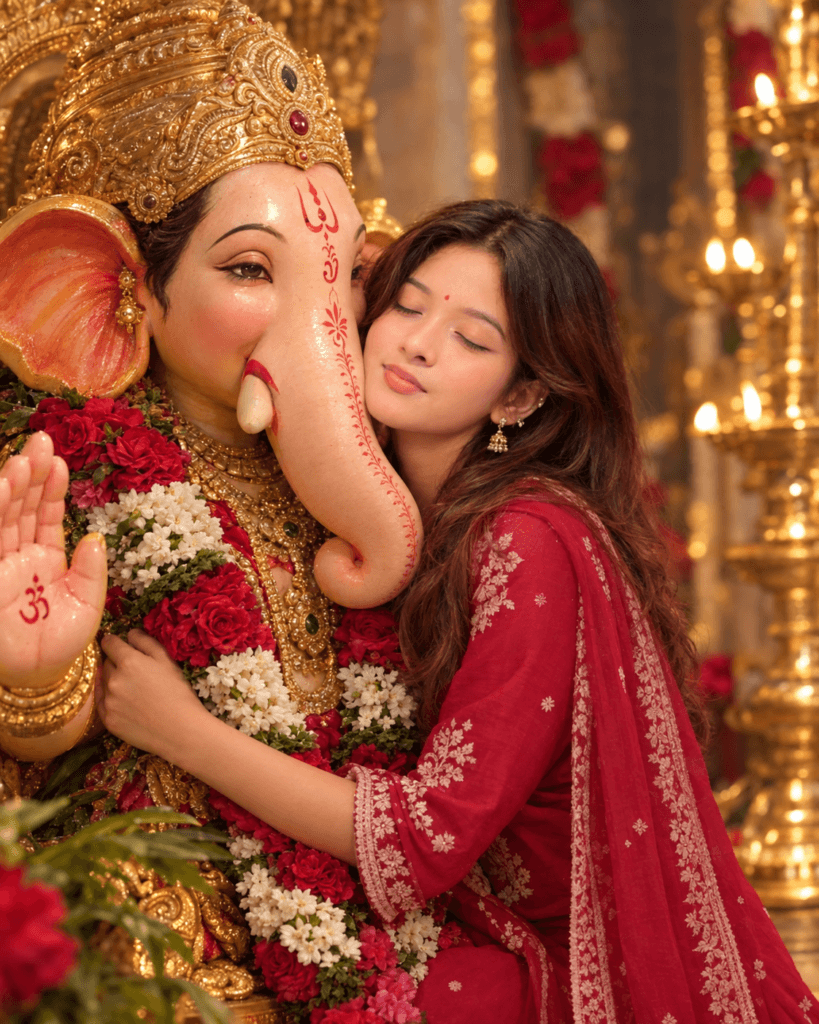
Ultra-realistic cinematic devotional
portrait of a young Indian woman
lovingly embracing Lord Ganesha,
eyes closed with a peaceful gentle
smile. Elegant traditional attire,
subtle jewelry, bindi, and softly
styled long hair. Ganesha adorned
with a golden crown, intricate
ornaments, sacred tilak, and vibrant,
red, pink & white floral garlands.
Warm golden temple lighting, soft bokeh,
realistic skin texture, DSLR quality,
4K, shallow depth of field, भक्तिमय mood.
Face same as reference image.
Ratio 4:5.
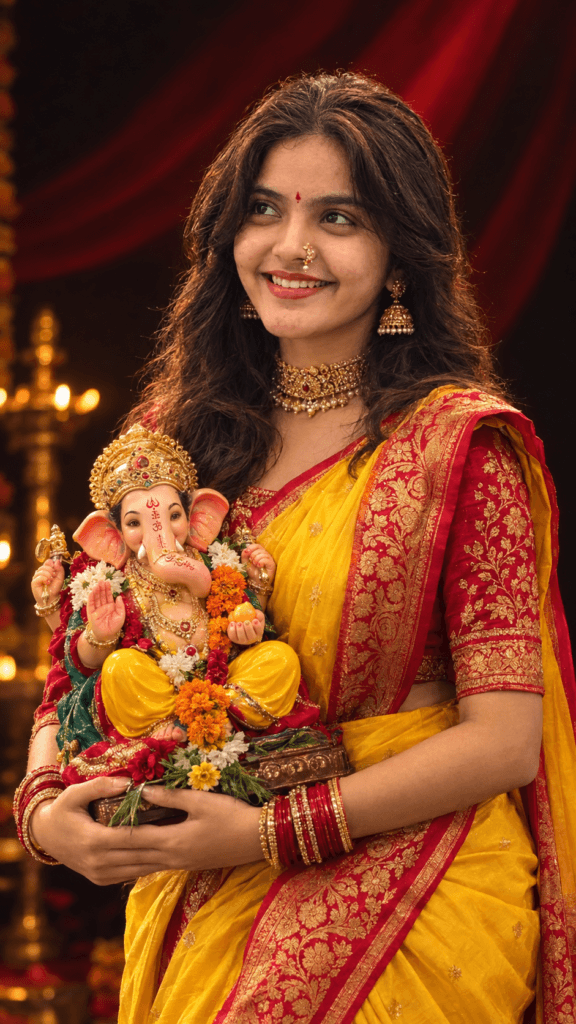
A hig-quality studio portraff of
a young Indian women same erson
as uploaded image holding a colorful
Lord Ganesha idol realistic during
Ganesh Chaturthi elebration.
The woman is wearin a She is wearing
a vibrant yellow Nauvari saree with
a rich red and gold embroid. d blouse.
She is adorned with traditional
gold jewelry, ding a heady

choker necklavo,a 'Nath'(nose ring),
and red and gold bangles, standing against
a dramatic dark background with a soft red
light flow behind him. She has a nafur
smile, a small red tilak on hiss forehead,
and is looking slightly upwards with devotion
and joy, The Ganesha idol is highly
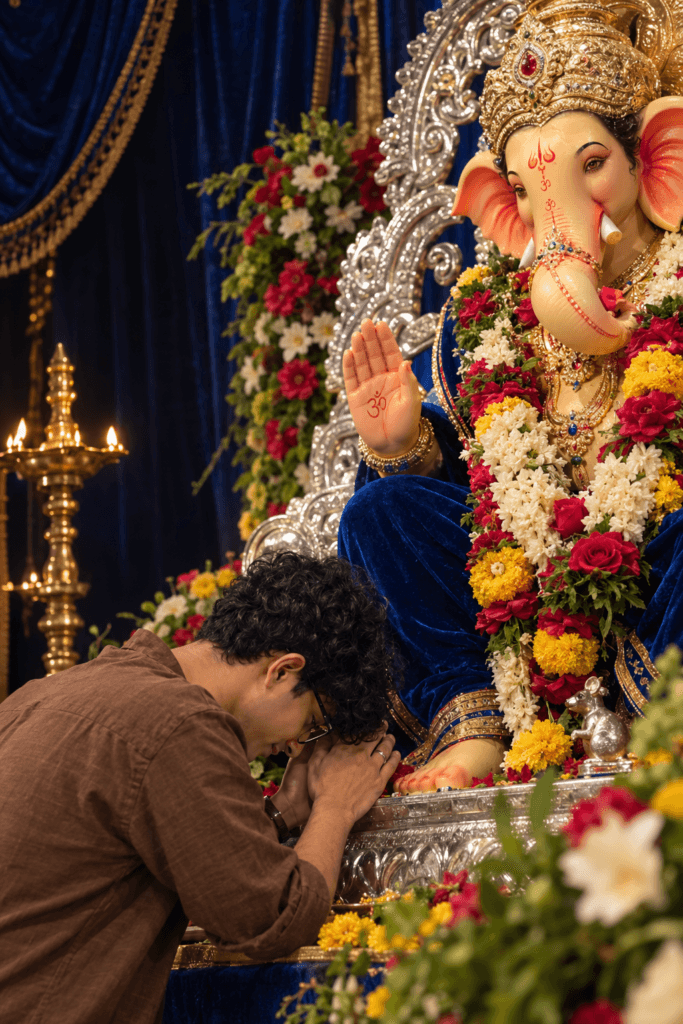
Ultra-realistic devotional cinematic
poster. A young man wearing a brown
shirt and glasses is bowing his
head in deep prayer at the feet
of a grand deity idol inside a
Ganesh festival pavilion. Silver
throne details, royal blue velvet
drapes, fresh colorful flowers,
dark background, soft warm lighting,
spiritual atmosphere, emotional mood,
shallow depth of field, ultra-detailed,
premium color grading, 8K quality
Conclusion
Often, the image doesn’t turn out well due to a few minor mistakes. One common error is asking for too many things at once—such as listing ten different elements in a single prompt—which makes it difficult for the AI to determine what to prioritize. Another mistake is using a blurry or poorly lit photo of yourself, which prevents the face from rendering correctly. So, try to avoid these pitfalls. Well, friends, that covers the entire article on creating AI images with Ganpati Bappa. Have you created any such images yet? If so, please let us know in the comments what kind of prompts you used. And if you haven’t tried it yet, give it a go today!
